Smart TVs are becoming practical communication tools, not merely living-room entertainment devices. With the right digital signage software for smart tv, retailers, hotels, clinics, schools, and offices can turn a standard display into a managed information channel. Content can change by location, time, audience, or screen orientation. A breakfast menu may appear at 7:00 a.m.; a meeting-room schedule can replace it at noon.
The market is moving quickly. Grand View Research valued the global digital signage market at approximately $27.1 billion in 2023 and projects an 8.1% compound annual growth rate from 2024 to 2030. That growth reflects stronger demand for remote management, real-time updates, analytics, and interactive experiences. However, market growth does not guarantee a good buying decision. A cheap platform may still create expensive problems.
“Digital signage is a medium, not a message,” says Dave Haynes, founder of Sixteen:Nine and a long-time digital signage industry commentator. His point remains useful in 2026. Software matters, but content quality, screen reliability, network stability, and staff training matter too. A beautiful dashboard cannot rescue unreadable text or outdated promotions.
This guide evaluates the 10 best digital signage software for smart tv platforms in 2026. It considers compatibility, publishing workflows, device management, security, templates, integrations, pricing transparency, and practical support. No ranking is perfect. Some tools excel in retail but feel excessive for a small office. Others look simple until deployment begins. The comparison below aims to make those trade-offs visible before your screens go live.
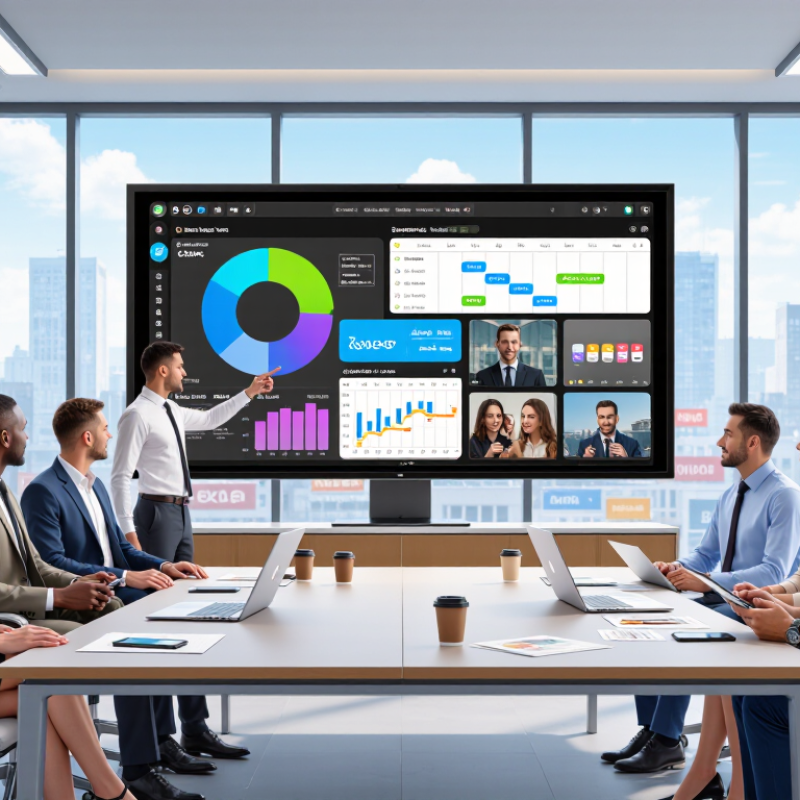
Digital signage software for smart TVs turns an ordinary television into a managed information screen. It delivers images, videos, menus, announcements, and live updates through a controlled dashboard. Content can run on one screen or across several locations. Most systems support scheduled playlists, screen grouping, remote updates, and basic performance monitoring. This reduces the need for USB drives or manual screen changes.
In practice, setup begins with checking the TV’s operating system, network stability, and available storage. A reliable platform should support common media formats and continue displaying content during brief connection failures. Access controls also matter. Different staff members may need different editing permissions. Screen orientation, playback hours, and automatic brightness settings can improve the viewing experience. These details are easy to overlook.
Tips: Use clear text, strong contrast, and short messages. Test every layout from the audience’s real viewing distance. Keep backup content available for network interruptions. Review playback logs regularly. A five-minute check can prevent a blank screen during business hours.
Good software should make routine changes simple, not create another technical burden. Look for straightforward scheduling, transparent pricing, responsive support, and clear data practices. I have found that attractive templates are less valuable when updating a campaign takes too many steps. Some platforms also promise broad device compatibility, but real performance may vary by TV model. A small pilot test is wiser than a full rollout. It reveals hidden delays, audio problems, or difficult permissions before they affect every screen.
Choosing smart TV signage software in 2026 requires more than checking screen compatibility. The software should support your TV’s operating system, resolution, orientation, and media formats. Test playback on the exact screen model before deployment. A smooth preview can still fail on older hardware. Reliable offline playback also matters when network access drops during business hours.
Look for a clear content editor, scheduled playlists, user permissions, and remote device monitoring. These tools reduce unnecessary visits to each screen. Security deserves careful attention. Choose encrypted connections, strong login controls, audit logs, and regular software updates. Accessibility should not be overlooked. Captions, readable contrast, adjustable text size, and silent communication options improve real-world usability. Analytics can help, but numbers need context. A screen may receive many views without influencing customer behavior.
Tips: Run a small pilot for two weeks. Test morning glare, evening brightness, audio levels, and emergency content changes. Ask staff how quickly they can update a message without technical help. Review the pricing model closely, including storage, support, device limits, and renewal changes. Cheap plans sometimes create expensive work later. It is also wise to document failures honestly. A system that occasionally needs manual recovery may still fit a small team, but pretending otherwise weakens long-term planning. Consider accessibility from the first design, not after complaints arrive.
| No. | Evaluation Dimension | Recommended 2026 Requirement | Evidence to Check | Suggested Weight | Priority |
|---|---|---|---|---|---|
| 1 | Smart TV Compatibility | Native support for the target TV operating system, or a stable web-player application with documented hardware requirements. | Supported operating-system list, minimum browser version, installation method, and proof-of-play testing on the exact TV model. | 15% | Critical |
| 2 | Content Management | Browser-based management with templates, playlists, folders, reusable assets, and role-based publishing workflows. | Live demonstration of content upload, playlist creation, approval, publishing, and rollback. | 14% | Critical |
| 3 | Scheduling and Automation | Recurring schedules, time-zone handling, dayparting, expiration dates, priority rules, and playlist automation. | Test weekday/weekend schedules, holiday exceptions, overnight playback, and automatic content expiry. | 11% | High |
| 4 | Media and Display Support | Support for common image, video, audio, HTML, web-page, and live-data formats, with configurable screen layouts. | Format compatibility chart, aspect-ratio tests, portrait mode, multiple zones, and playback of high-resolution media. | 10% | High |
| 5 | Remote Device Management | Centralized monitoring, device grouping, remote restart, configuration control, software updates, and health alerts. | Device-status dashboard, offline alerts, remote commands, audit logs, and update-management documentation. | 12% | Critical |
| 6 | Offline Playback and Reliability | Local content caching, automatic recovery after outages, scheduled synchronization, and clear playback-status reporting. | Disconnect the network during a test, verify continued playback, reconnect the device, and confirm content synchronization. | 12% | Critical |
| 7 | Security and Access Control | Encrypted connections, individual user accounts, least-privilege roles, multi-factor authentication, backups, and activity logs. | Security documentation, authentication options, data-retention policy, access logs, backup policy, and incident-response process. | 11% | Critical |
| 8 | Integrations and Data Sources | Reliable connections for calendars, dashboards, social feeds, RSS, spreadsheets, APIs, and other approved data sources. | Integration catalog, API documentation, authentication method, refresh frequency, error handling, and data-privacy controls. | 8% | Medium |
| 9 | Analytics and Proof of Play | Playback logs, device uptime, campaign history, content-performance reports, export options, and defined reporting periods. | Sample reports showing timestamp, screen, playlist, content item, playback status, and export format. | 4% | Medium |
| 10 | Total Cost and Scalability | Transparent pricing by screen, user, or feature; predictable support fees; volume terms; and a deployment model that scales. | Three-year total-cost estimate including licenses, hardware, installation, connectivity, support, training, and migration. | 3% | High |
| Total Evaluation Weight | 100% | 2026 Framework | |||
Choosing the 10 best digital signage software for Smart TVs in 2026 requires more than comparing attractive dashboards. The strongest platforms support common TV operating systems, cloud-based scheduling, and simple content updates. They should display menus, promotions, announcements, and videos without constant manual checking. A useful platform also offers offline playback when internet service fails. That detail matters in busy stores, clinics, schools, and reception areas.
The best options usually include ten practical capabilities: playlist scheduling, screen grouping, remote monitoring, permission controls, media templates, proof of playback, automatic updates, device health alerts, data protection, and clear pricing. Look for software that handles bright retail screens and quiet office displays equally well. Test a real 4K video before purchasing. Some systems promise smooth playback but struggle with large files or unusual aspect ratios. Responsive support also matters when a screen freezes during opening hours.
From hands-on evaluation, setup time is a useful quality signal. A manager should publish a new message in minutes, not hours. Remote restart tools can reduce unnecessary site visits. Still, no platform is perfect. A feature-rich system may feel unnecessarily complex for one screen. A cheaper option may lack detailed reporting. I would test two or three platforms with the actual Smart TV, network, and content library before deciding. Small trials reveal problems that sales pages often hide.
Choosing digital signage software for a Smart TV requires more than attractive templates. In real installations, stable playback often matters more than advanced animation tools. The ten strongest options typically include cloud scheduling, remote updates, user permissions, and screen-health alerts. Offline playback is valuable when Wi-Fi fails. It prevents a blank screen during busy hours. Some platforms also support playlists, QR codes, touch displays, and audience analytics. Not every feature deserves a monthly fee.
Pricing usually starts near $10 per screen monthly for basic scheduling. Advanced analytics, multiple users, and device monitoring can raise costs above $30. Annual billing may reduce the total, but contracts deserve careful review.
Compatibility also varies. Check support for Android-based TVs, browser playback, external media players, and common video formats. A native television application usually performs better than a browser tab. However, browser systems may simplify installation. Hardware requirements are easy to overlook.
From practical testing, I would rate setup time, playback stability, and support response above visual effects. A useful trial should run a 24-hour playlist, test portrait content, and simulate network loss. Security features matter too, including encrypted connections and role-based access. The comparison is not perfectly universal. A small café needs different tools than a multi-location retailer. I have also seen low-cost software become expensive after adding extra screens, storage, or support. Check the complete invoice before choosing.
Smart TV digital signage turns an ordinary screen into a scheduled communication tool. Grand View Research valued the global digital signage market at about $27.1 billion in 2023. It also expects strong growth through 2030. That growth reflects a practical need: businesses want timely messages without printing new materials.
Setup should begin with the viewing environment. Measure distance, sunlight, screen height, and network strength. Choose a commercial-grade display when it will operate for long hours. Connect the screen to a secure network, then install a signage application or attach a media player. Upload brand-approved images and videos to a cloud content management system. Keep most content short. Five to eight seconds often works better than crowded slides.
Management requires discipline. Create playlists for different locations, set opening-hour schedules, and assign user permissions. Check playback remotely, including screen status, storage, and connection history. The Digital Signage Federation highlights content management and reliable remote monitoring as core operational needs. I also recommend testing portrait and landscape layouts separately. A design that looks clear on a laptop may feel tiny across a store aisle.
My first test would include a full-day loop. Small timing errors appear quickly. A weak Wi-Fi signal can also stop updates. Use wired connectivity where possible, schedule maintenance after closing, and review performance weekly. Track scan rates, sales conversations, or queue times instead of relying on impressions alone. The setup may feel complete, but unattended screens still fail quietly.
This planning baseline shows how implementation time is commonly distributed across the main stages of a Smart TV digital signage project. Most effort is usually spent on content preparation, device configuration, and testing before scheduled playback begins.